Pushes with a seatbelt
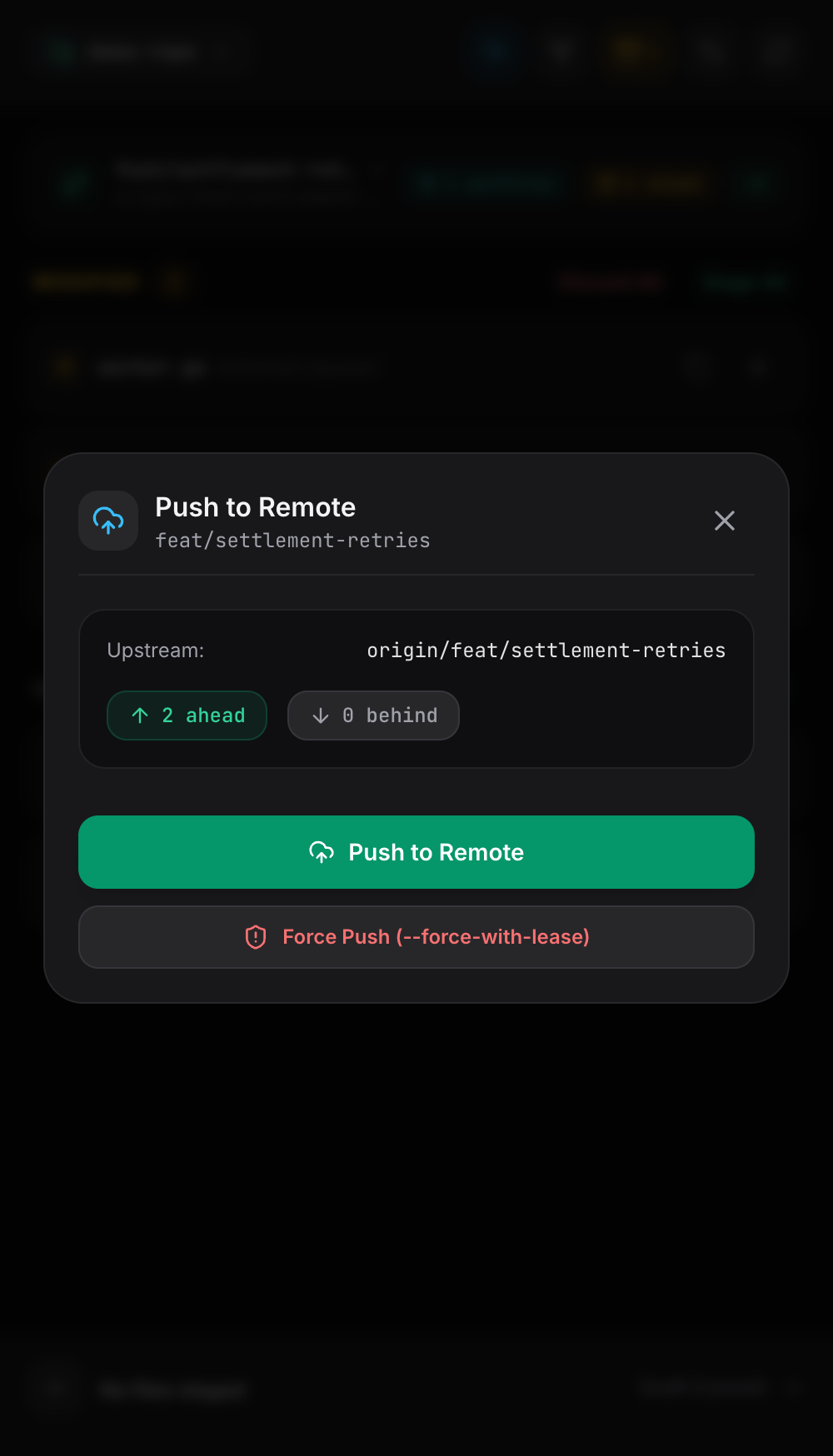
Ahead and behind counts before you send anything. Force push is there when you need it, behind --force-with-lease and a second confirmation.
An agent can work while you are on a train. The moment you want to read what it wrote, you are back to SSH on a 6 inch screen, squinting at git diff in a terminal that was never meant for thumbs.
Then it gets worse. If your signing key lives in the Secure Enclave or a 1Password vault, every commit and push waits on a fingerprint you are not there to give. The usual fix is to weaken the key you use for everything. Branch Office takes the other path and runs with a dedicated key of its own.
Color coded diffs, hunk level control, and a commit drawer built for one hand. The file list updates itself the moment anything on disk changes.
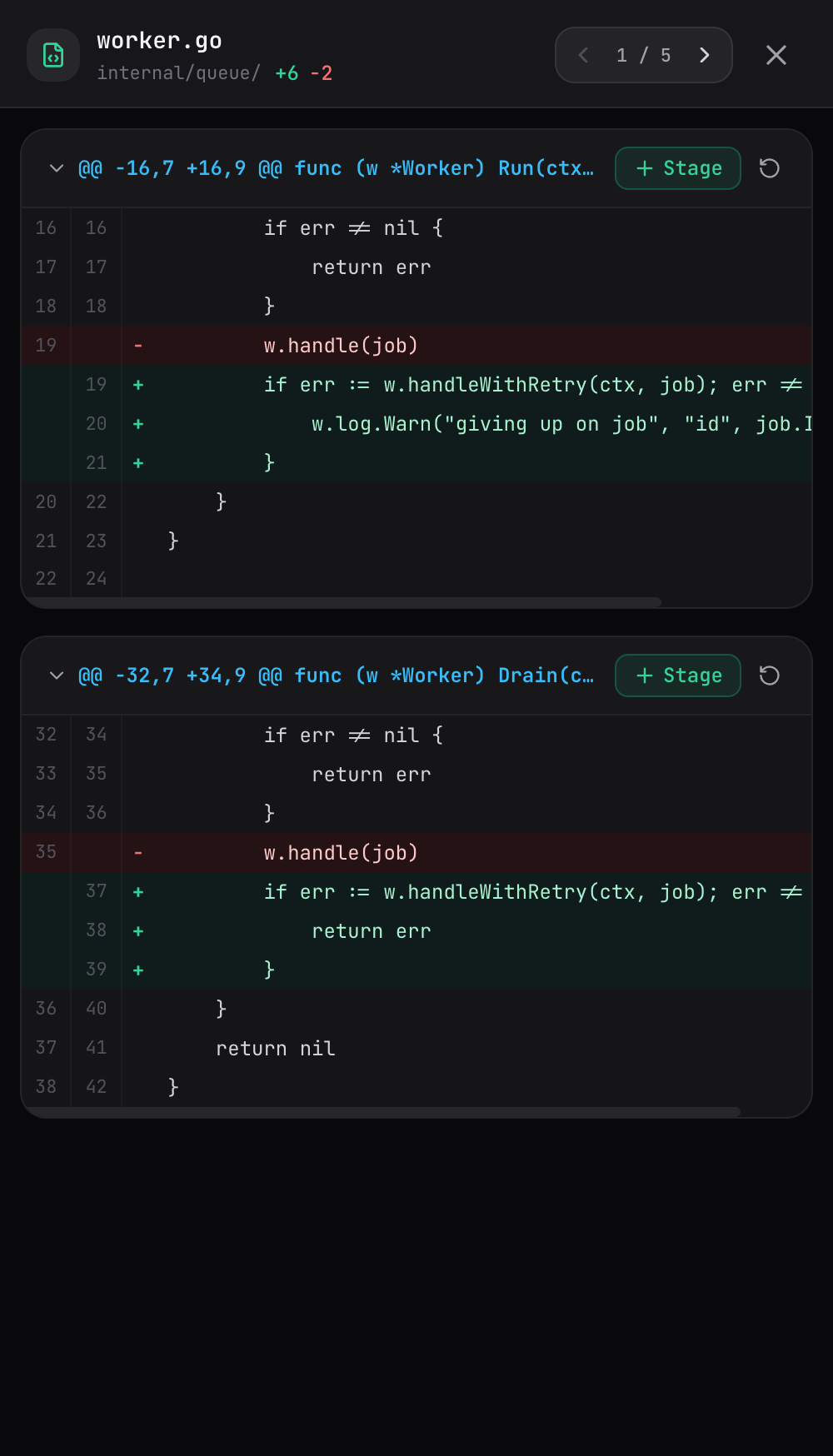
Tap to stage one hunk. Tap again to put it back. Discard a single hunk without touching the rest of the file.
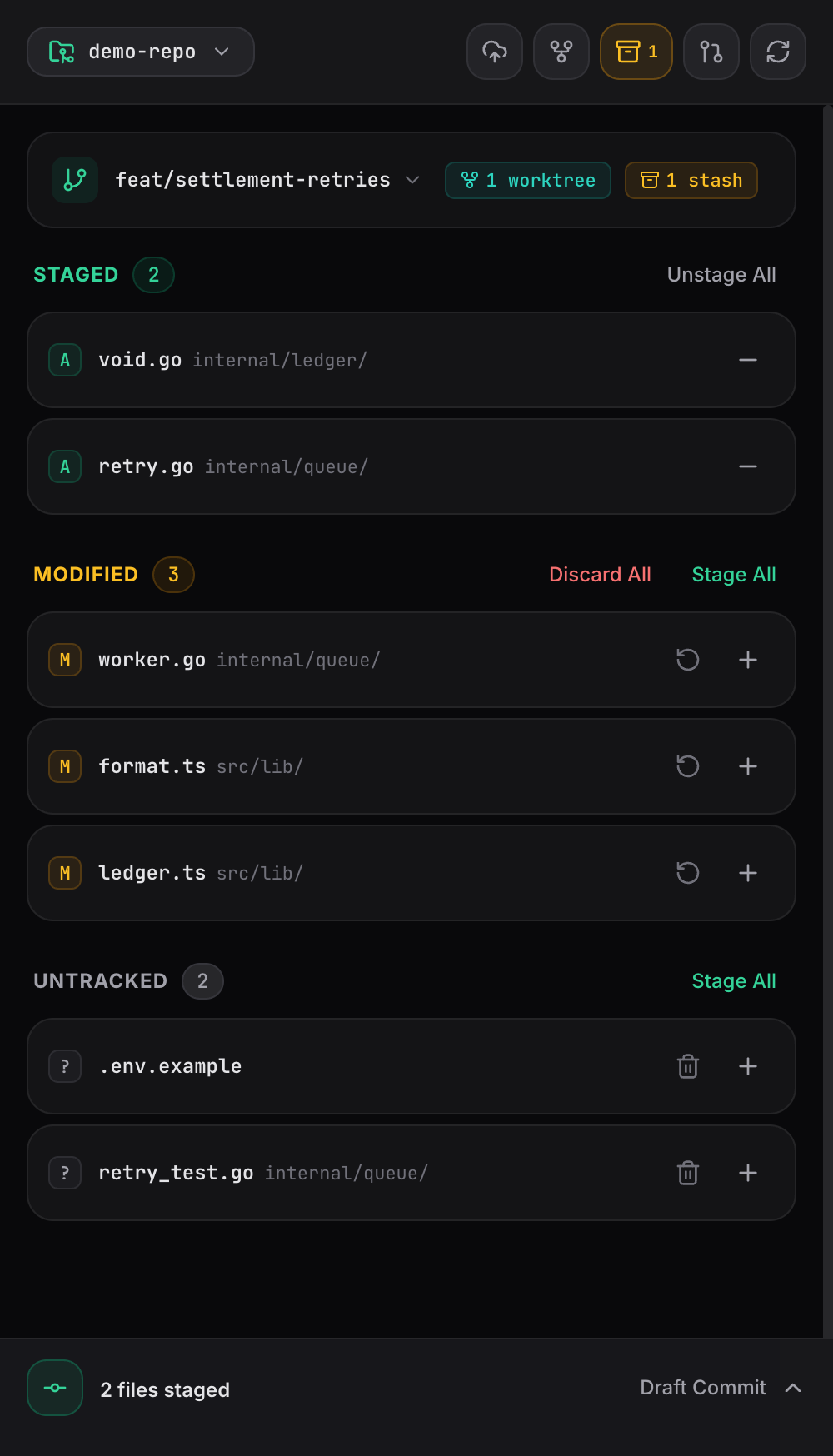
Staged, modified, untracked. A file watcher streams changes to the browser, so the list moves while your agent works.
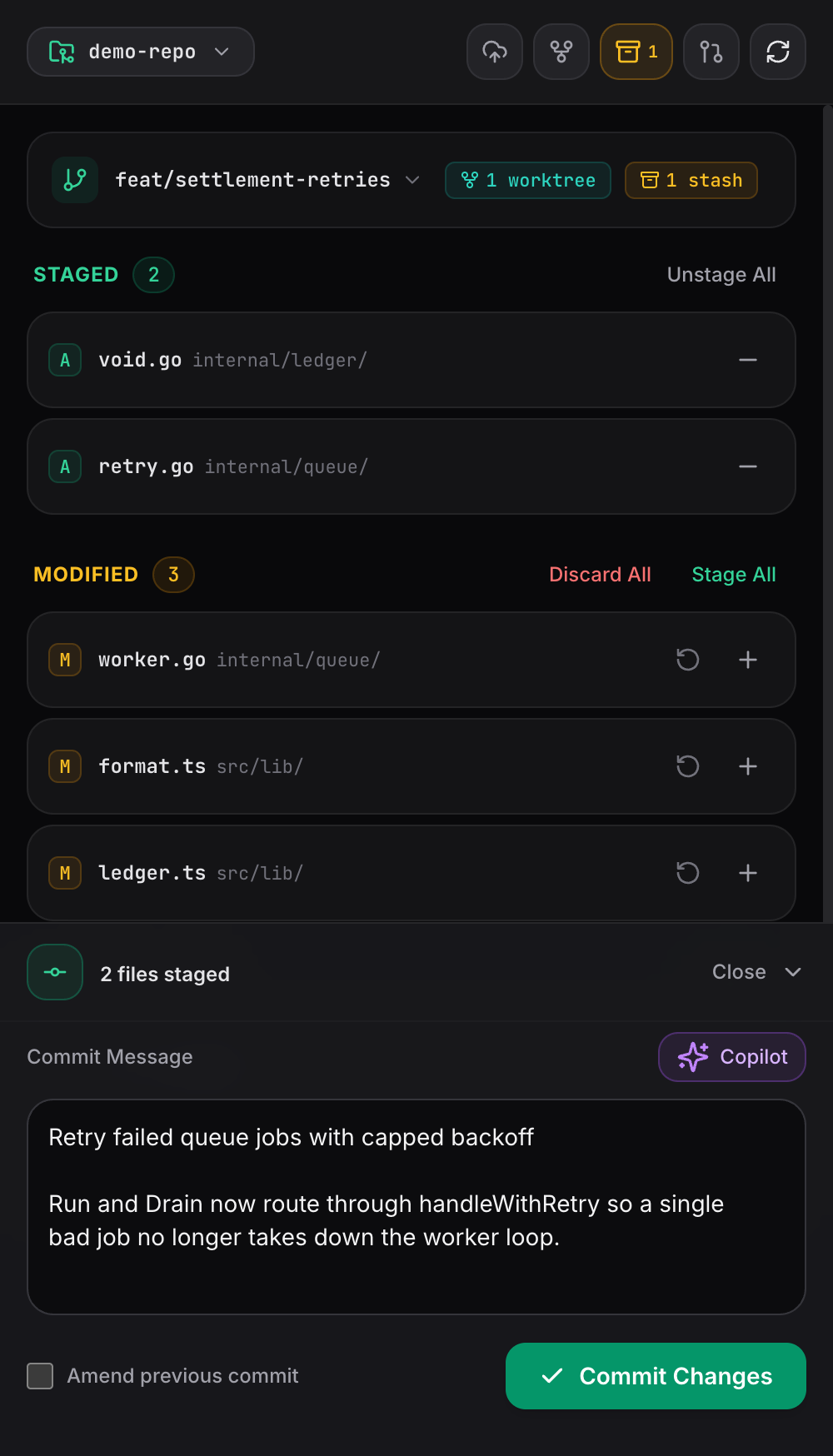
A fixed bottom drawer with an auto sizing message field, an amend toggle, and a one tap Copilot draft from your staged diff.
Ahead and behind counts before you send anything. Force push is there when you need it, behind --force-with-lease and a second confirmation.
Switch between linked worktrees, create one on a fresh branch, and remove it when the work lands. Each gets its own live change detection.
Stash, apply, pop, or drop. Inspect what is inside an entry before you decide what happens to it.
Switch branches or cut a new one from the same screen as your changes. No checkout dance, no typos.
Register any local path and move between projects from the top bar. Your last repo is still open when you come back.
The Vue app is embedded in the Go binary. No node runtime, no database, no install script, nothing to keep running in the background.
Nothing phones home. The only network traffic is the git and gh commands you trigger yourself.
Serve it over Tailscale and it is reachable from your phone and nowhere else. It is a local HTTP server, so keep it off the open internet.
Git runs with a dedicated key and a cleared SSH_AUTH_SOCK, so remote pushes never wait on a fingerprint. Your daily key stays where you put it.
Homebrew on macOS or Linux. It needs git on your PATH, plus gh if you want pull requests and Copilot commit messages.
$ brew install jejacks0n/tap/broffice
# or in two steps: brew tap jejacks0n/tap && brew install broffice
$ broffice$ tailscale serve --bg 8080# a dedicated key, used only by Branch Office
$ ssh-keygen -t ed25519 -f ~/.ssh/broffice_ed25519 -N ""
$ gh ssh-key add ~/.ssh/broffice_ed25519.pub
$ gh ssh-key add ~/.ssh/broffice_ed25519.pub --type signing
$ broffice -ssh-key ~/.ssh/broffice_ed25519
# and use -no-sign if you don't want to sign commits from broffice